|
|
请使用QQ关联注册PLM之家,学习更多关于内容,更多精彩原创视频供你学习!
您需要 登录 才可以下载或查看,没有账号?注册
x
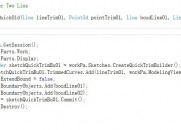
这是录的日志里草图偏置曲线里的
* o# [, X) O/ yNXObject nXObject2;
8 k+ d! N, C4 n/ s nXObject2 = skeTChOffsetBuilder1.Commit();" {9 |4 x- G `$ d8 [$ c
0 I4 l% t' M0 n- P
NXObject[] objects1;
) A/ [& V7 }, d1 m4 M/ {+ F8 _ objects1 = sketchOffsetBuilder1.GetCommittedObjects();" A0 [) x1 V( f; H$ H
我返回了nXObject2;
' r2 y! ^# G; ?: U6 F" N% ~, z# g, ]4 d并录制了一个草图拉伸的日志 里面这么写的
t- Z8 g- ^5 d/ n, {( ^NXOpen.Features.Feature[] features1 = new NXOpen.Features.Feature[1];. I; t+ h- A) r& b4 h
NXOpen.Features.SketchFeature sketchFeature1 = (NXOpen.Features.SketchFeature)workPart.Features.FindObject("SKETCH(16)");; K) T) r; u2 W* ^) h4 b
features1[0] = sketchFeature1;
$ z* ?* ]9 o2 z Sketch sketch1 =(Sketch)workPart.Sketches.FindObject("SKETCH_00SKETCH_000");
2 C7 I. r3 L9 X9 H Line line1 = (Line)sketch1.FindObject("Curve Line4");
4 J/ L9 w0 G1 s+ E8 \ Curve nullCurve = null;9 C) ]: ~5 H; y Z& l' N# P
CurveFeatureChainRule curveFeatureChainRule1;
5 R9 s# ~! e; b5 X( S curveFeatureChainRule1 = workPart.ScRuleFactory.CreateRuleCurveFeatureChain(features1, line1, nullCurve, false, 0.00095);
' B7 j$ T+ V5 X- W' Z D; z 1 Z% i! ?7 y' [1 `& d3 h$ E
section1.AllowSelfIntersection(true);
, c4 ?" _' a: G7 U
% P7 T* y) ~ k SelectionIntentRule[] rules1 = new SelectionIntentRule[1];$ x6 a1 @* t: P/ Z/ E# e+ }$ A2 Z
rules1[0] = curveFeatureChainRule1;
' N. H! `5 ~% `* r NXObject nullNXObject = null;
1 j/ c$ Y# c) V Point3d helpPoint1 = new Point3d(-18.8530653857088, 21.736029640554, 0.0);+ x2 ]) Y8 W' B% y4 R
section1.AddToSection(rules1, line1, nullNXObject, nullNXObject, helpPoint1, NXOpen.Section.Mode.Create, false);1 X( i) _- f8 Q& N0 L- X
我把NXOpen.Features.SketchFeature sketchFeature1 = (NXOpen.Features.SketchFeature)workPart.Features.FindObject("SKETCH(16)");
4 Y; i3 `! P( s, K7 m改成了NXOpen.Features.SketchFeature sketchFeature1 = (NXOpen.Features.SketchFeature)nXObject2;: I, m, D' n% G' v5 X3 Z7 E
它报错说无法将 NXOpen.sketchoffset强制转换成NXOpen.features.sketchfeature;" Z* M! v& P& k0 t
+ ~. W) J* I! T- h再录一段没有草图的拉伸
. M/ Y, g! S) _1 P7 Q1 Q4 V! D. E NXOpen.Features.Feature[] features1 = new NXOpen.Features.Feature[1];* {+ N% c5 [, A2 A. J. `; j* b% P
NXOpen.Features.OffsetCurve offsetCurve1 = (NXOpen.Features.OffsetCurve)nXObject2;//在这写了nXObject2
- \ O$ u6 Q1 b+ l0 t features1[0] = offsetCurve1;4 L( u4 E& g" X
workPart.Features.SuppressFeatures(features1);
& ~! x, o( h+ l! B$ t它报错说无法将 NXOpen.sketchoffset强制转换成NXOpen.Features.OffsetCurve;6 j, O9 r7 `, D' ]* G
* ^ l1 L- b; p( c M
求高手告诉我下怎么转换6 _1 o) {. L; z, ~1 G
|
|






 |小黑屋|PLM之家-专注工业软件生态建设,大模型CAD创新生态
( 沪ICP备2026005248号-1 )
|小黑屋|PLM之家-专注工业软件生态建设,大模型CAD创新生态
( 沪ICP备2026005248号-1 )




 发表于 2014-2-21 23:13:15


