|
|
请使用QQ关联注册PLM之家,学习更多关于内容,更多精彩原创视频供你学习!
您需要 登录 才可以下载或查看,没有账号?注册

x
5 z2 O/ ]: z7 v# e, C6 j+ A- r) j+ g4 k3 V8 h2 N
. A3 ]$ e2 u. q' v# B( z: x, W
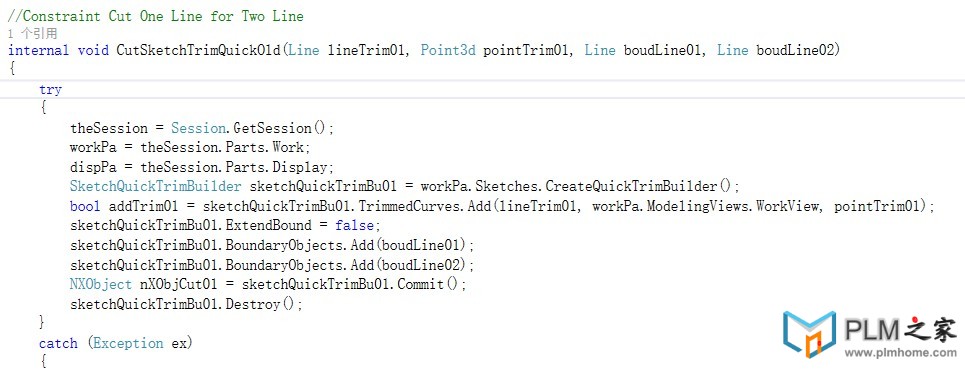
Create a New Feature 创建NXfeature的标准过程
( S/ M- m1 V8 Z# `1.Create an instance of the builder object for the desired feature type providing a null object as input.
% ~4 f$ P% V: X# \# ?0 L创建一个builder实例,null作为输入
$ \0 J3 A* Z( o: R4 L" w* {2.Edit the properties of the builder object to set the feature parameters and options. ( T+ D) [% g J4 \* L' k
编辑创建的builder,设置一些参数或者选项
/ w U3 J2 w5 \2 n& D( T) z! v3.Use the Commit method of the builder object to create an instance of the feature. The Commit method will return the new feature object. e& ~# j3 y' S3 w6 @& G" G; z
使用commit的方法来创建这个feature的实例,这样就可以返回一个feature对象
1 O. l. M4 V9 N' H- n/ d% @+ Q4.Use the Destroy method of the builder object to delete the builder object.
# I1 e k Y, `* |, [4 |使用destory方法删除builder对象。
: Q$ M$ |8 w) p3 o+ F' _编辑特征也是同样的操作过程!
e& `4 H8 N% P3 R* A* v4 T) C9 ~& ?7 f% Q2 c- ?
代码举例:
( v8 X% ]5 N' Y$ R# C+ b, lSession *NXSession = Session::GetSession(); 4 Z0 \5 t/ O% p' C6 V6 X& Q
Part *workPart (NXSession->Parts()->Work()); 1 ]2 y) Z7 ]: ^1 t' {0 I9 p1 G- G% X
Feature *nullFeature (NULL); 9 U, m9 R) D4 B% H
Point3d origin = new Point3d(0.0, 0.0, 0.0);
2 o! z8 x' l t0 w3 q. }//************************************************************************** 0 }, B/ _$ E6 `0 y- U& M- s4 j3 I
//CREATE BLOCK 创建方块
1 K$ ]1 Z& s4 y! U! m9 }; } S) SBlockFeatureBuilder *newBlock = NULL;7 B R, f, }5 ?. o0 y) o
newBlock = workPart->Features()->CreateBlockFeatureBuilder(nullFeature); ; l2 z! K5 }2 C2 [$ H
newBlock->SetOriginAndLengths(origin, "50", "80", "100");
( M2 q7 o% ~. Y& n8 K' Q2 l, U- Z9 WFeature *blockFeature = newBlock->CommitFeature();
6 d5 w$ I+ w9 o/ V' ~newBlock->Destroy();
( q2 o R/ E+ y3 n* [" \2 j//**************************************************************************
7 z! U8 y O/ f5 C3 W//EDIT BLOCK 编辑方块
l. N" H8 }" r! Y4 QBlockFeatureBuilder *oldBlock = workPart->Features()->CreateBlockFeatureBuilder(blockFeature);
/ C* @$ Z; V+ s' t, K; holdBlock->SetOriginAndLengths(origin, "100", "20", "50"); ) h! \. L, a0 v5 D; z
oldBlock->CommitFeature();
' k5 d+ Q$ T' LoldBlock->Destroy();
6 H2 G, F4 z; `7 Q+ ]- r6 r% A$ Y1 e5 I1 { [! t- Q, S7 Z
|
|





 |小黑屋|手机版|PLM之家-专注工业软件生态建设,大模型CAD创新生态
( 沪ICP备2026005248号 )
|小黑屋|手机版|PLM之家-专注工业软件生态建设,大模型CAD创新生态
( 沪ICP备2026005248号 )